
The four locks behind a consistent AI picture book
The Once Books team · 18 August 2026 · 5 min read
“Make the same character on every page” sounds like one feature. It’s really four, because a generative image model has no memory between requests, so every page is an independent guess. Getting a recognisable child across every page means removing the guessing at four separate points. Below is each lock, and what breaks without it.
1. Canonicalise the character into structured descriptors
A prompt like “a curly-haired girl” leaves a thousand degrees of freedom. We pin them down into a Character Sheet: explicit, immutable fields for hair, eyes, build, outfit and distinguishing features. It’s structured rather than prose, so the same values feed every generation identically. Without it, you’re back to reinventing the character from loose words each time.
2. Condition on approved reference images
Words alone can’t carry a face. We render the character once into an Identity Sheet, the same child in canonical poses, and supply those reference images to condition every later page. The model draws from the reference, not from its own last output. Without it, likeness drifts even when the description is fixed.
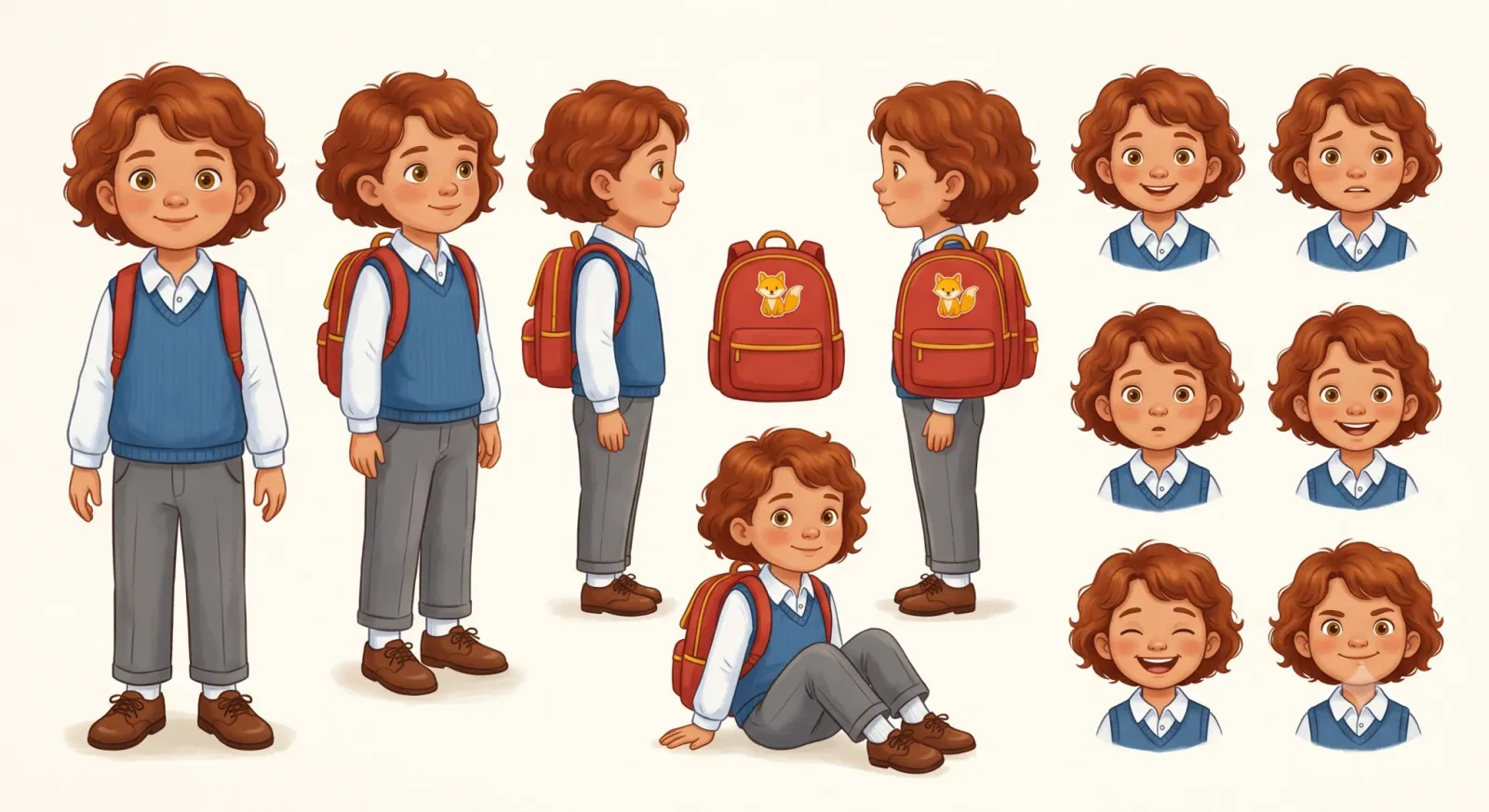
3. Freeze the style and control the seed
Two more sources of variance: the art direction and the random seed. We freeze a Style Profile onto the whole book at creation, so page one and page twelve share a medium, palette and lighting. We also send and keep a seed with each page, so a regeneration is a deliberate variation rather than a fresh random guess. The seed is the weaker of the two, and worth being straight about: the image model we render on exposes no true seed field, so a seed nudges a result rather than reproducing it exactly. The frozen style is what actually holds the look together. Without it you get a different illustrator every few pages, the clearest tell of drift.
4. Keep a human approval gate
No classifier is perfect, so the last lock is you. Nothing enters the book until you’ve approved it, and any page can be regenerated on its own. Drift that slips past the first three locks is caught here, before it reaches print.
Together these are what we call the Consistency Engine. Miss any one and the book reads as AI slop; hold all four and it reads as one book. See the four-step flow, or flip through a finished sample to watch the character hold.
Questions parents ask
- Isn't character consistency just a matter of a better prompt?
- No. A generative image model has no memory between pages, so no prompt survives from one page to the next. Consistency takes four locks working together: a structured Character Sheet, approved reference images, a frozen style and a controlled seed, and a human approval gate.
- What happens if one of the four locks is missing?
- The book drifts. Drop the reference images and the face wanders; drop the frozen style and you get a different illustrator every few pages. All four have to hold for the book to read as one book.
- How many reference images can the model use per page?
- Up to 10 reference images per page: plenty for a typical scene, but not for a crowd. When a page has several characters and a setting, the engine prioritises which references survive into it, with the main character’s face taking priority over the supporting cast and the background.
Related reading
The cast and the sets: the art that holds a book together
The hero’s face is the famous consistency problem. The friend, the teacher and every classroom are the harder one. Here’s the reference art behind it.
Why AI picture books drift, and how we stop it
Image models are stateless, so page four forgets page three. This is why it happens, and how a locked Character Sheet keeps one child recognisable.
Stripe Checkout without webhooks: a pull-based design
How we confirm Stripe Checkout payments with no webhook: session reuse, a unique checkout key, strict verification and a 10-minute reconciliation sweep.
Keep reading
Answers
One sharply-scoped question per page, cost, safety, timing, printing, answered in a couple of sentences before the detail.
Glossary
Plain definitions of the vocabulary: the Character Sheet, the Consistency Engine, style profiles, drift.
Help centre
Task-shaped instructions for making, printing and sharing a book once you have started one.